Your website
Your restaurant website, built from your Google listing
Create your account, look up the restaurant and the website comes out built with the name, address, phone number and opening hours from Google. You add your photos and the menu, check it and publish it at yourname.taula.ai.
No card and no lock-in. The website is included in Basic and Pro.
- What it is
- The restaurant website, with bookings and the QR menu wired in
- Who builds it
- You, from the dashboard; we help if you like
- How long it takes
- A minute or two, once the restaurant is found
- What it costs
- Included in Basic and Pro; 30 days free
How it works
Three steps, all from the dashboard
- 01
Create your account and look up the restaurant
At app.taula.ai, with your email. You type the name and town the way a guest would search Google Maps, and the name, address, phone number and opening hours come from the listing. If there is no listing, you type them in. You choose the yourname.taula.ai address and your shifts.
- 02
Add the photos and the menu
Your own photos, up to six: we never use photos from Google. You upload the menu as a PDF or a photo, check it, and it is also published with a QR code. Both are optional: if you do not have them to hand, add them later.
- 03
The website is generated and you publish it
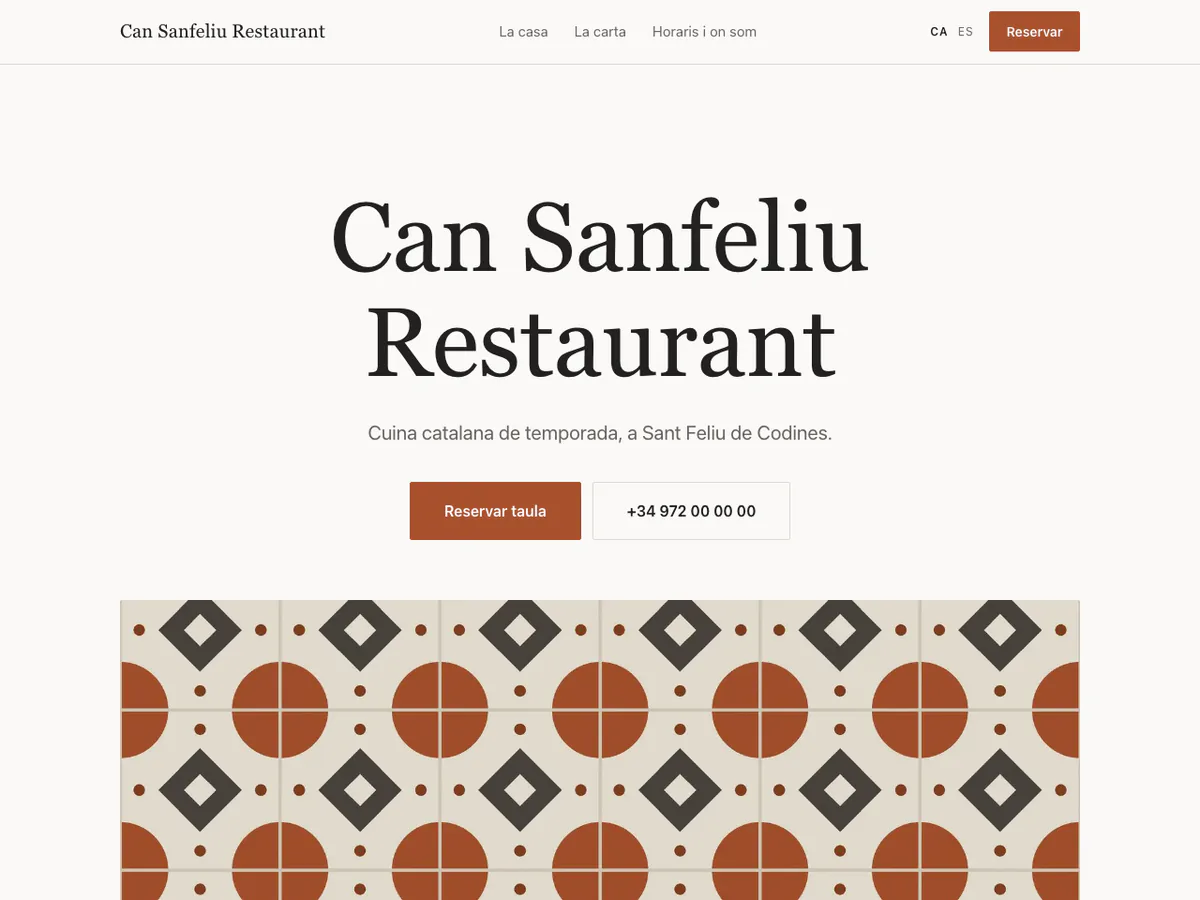
In a minute or two the website appears, with some introductory copy in Catalan, Spanish and English and buttons to book, call and get directions. You look it over, generate it again if you do not like the copy and publish it when you are ready, with the restaurant’s legal details. If you get stuck, we help.
The website
What comes in by itself and what you add
Comes from the listing and the dashboard
- The name, address, phone number and opening hours from the Google listing
- Some introductory copy, in Catalan, Spanish and English
- The booking button, wired to your agenda
- Buttons to call and to get directions with Google Maps
- The link to the QR menu
You add and change it, whenever you like
- The restaurant’s photos, up to six
- The menu and prices
- Opening hours, holidays and phone number
- A notice when needed, such as “closed for holidays”
Open the Can Sanfeliu website All about the website See the plans
Questions
What people ask before they start
How is a restaurant website built with taula.ai?
- From the taula.ai dashboard, when the restaurant signs up. It creates an account at app.taula.ai, looks up its Google listing by name and town, adds photos and the menu if it has them to hand, and taula.ai generates the website in a minute or two with the opening hours, address, phone number and some introductory copy in Catalan, Spanish and English. The restaurant checks it and publishes it at yourname.taula.ai whenever it likes. If it gets stuck, we help.
Can I see the website before signing up to taula.ai?
- No: taula.ai generates the website inside the restaurant’s account, because every website costs money to make (the Google lookup and the AI-written copy). To see how one looks, there is the website of Can Sanfeliu, a demo restaurant, at can-sanfeliu.taula.ai. Signing up is free, the first 30 days cost nothing and need no card, and the website is not published until the restaurant decides.
How much does the restaurant website cost on taula.ai?
- The website is included in the taula.ai plans: on Basic, at €9.99 + VAT (€12.09) a month, it is published at yourname.taula.ai, and on Pro, at €24.99 + VAT (€30.24) a month, it can run on the restaurant’s own domain, which is billed separately. The first 30 days are free and need no card, and there is no lock-in.
What happens if taula.ai cannot find my restaurant on Google?
- When signing up to taula.ai you can paste the link to the Google Maps listing instead of the name. If the restaurant has no Google listing, the details are typed in by hand — name, address, phone number and opening hours — and the website is generated from them all the same.
Does the website taula.ai builds use photos from Google?
- No. taula.ai never publishes photos from Google or the internet, because they are not its to publish. The restaurant adds up to six photos of its own from the dashboard, at sign-up or later; until there are any, the website comes without photos.
Start with your restaurant
Create your account and look up your Google listing. The first 30 days cost nothing.